Meet your cast.Get to know each person.
Start with a name, a picture, and a few words. Build a character notebook with the details, relationships, and history you want close while you write.
Try Honeycomb 30-Day Trial No credit card required.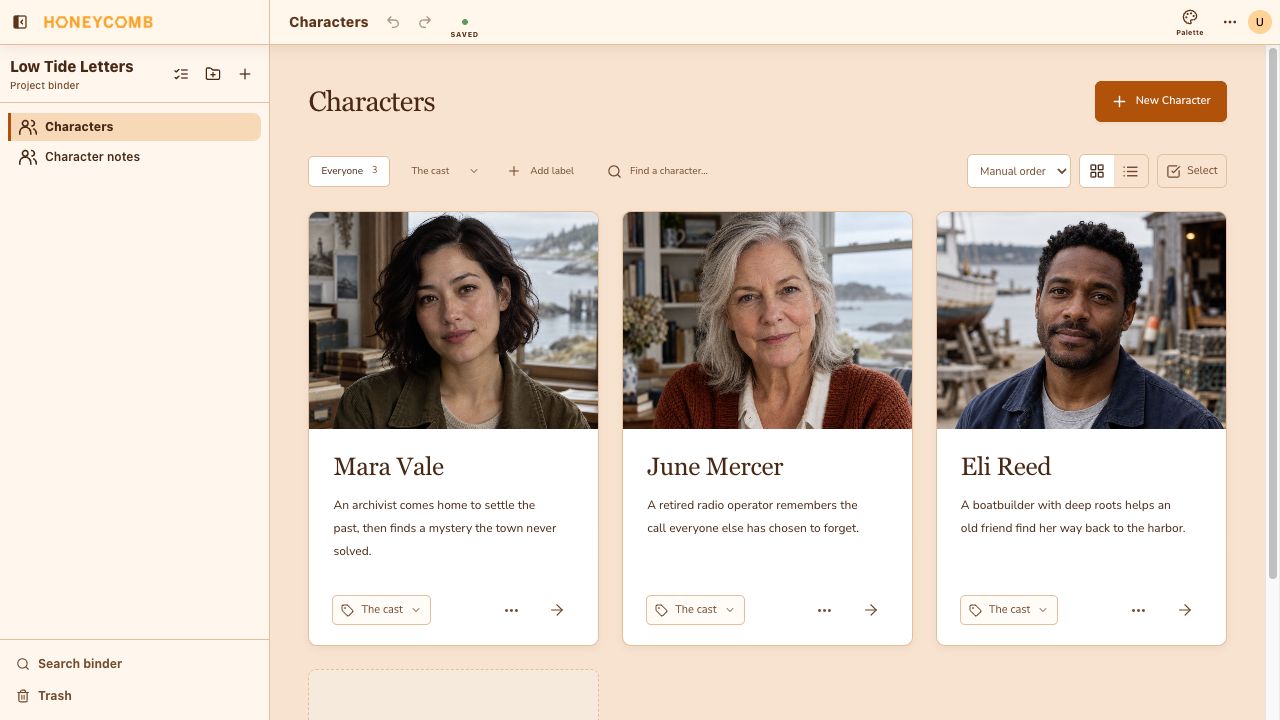
Keep the people in your story together.
See character images and short descriptions in one place. Add custom labels, search for a name, and rearrange the cast into an order that makes sense to you.
- 01Edit names and short descriptions directly on character cards.
- 02Add image references and adjust their crops.
- 03Open a character’s notebook when you want to go deeper.
A notebook that grows with the character.
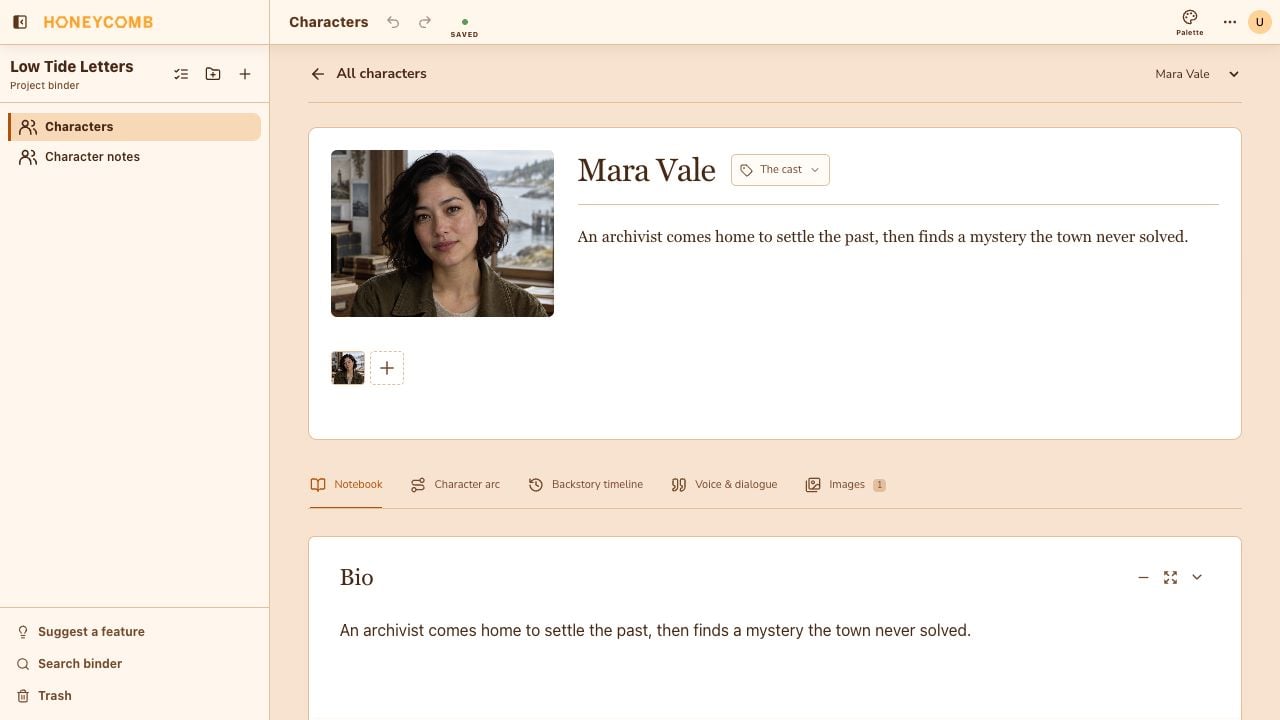
Give each character room for a biography, motivation, or a detail that does not fit a standard profile. Rename notebook sections to match what you need to explore.
- Keep connected characters and relationship notes in “In their orbit.”
- Explore Character arc, Backstory timeline, and Voice & dialogue tabs.
- Collect multiple pictures without leaving the notebook.
A few things
you might be wondering.
Do I need to fill out a long character questionnaire?
No. Start with only the details you need. You can rename, add, and remove notebook sections as your character develops.
Can I add my own character pictures?
Yes. Upload reference images, rearrange them, and adjust the crop. Only upload images you have permission to use.
Can I connect characters to one another?
Yes. “In their orbit” lets you choose another character in the same character document and add relationship notes. It does not automatically link characters to scene cards.
Make room for your next story.
Try Honeycomb free30 days. No credit card required.
View monthly and yearly plans