Your words.Your kind of workspace.
Draft a scene, collect notes, or work through an idea without leaving your project. Choose your paper, settle into focus mode, and take your writing with you.
Try Honeycomb 30-Day Trial No credit card required.
Low Tide Letters · Original sample writing in the actual Honeycomb editor.
Choose your paper. Keep your words.
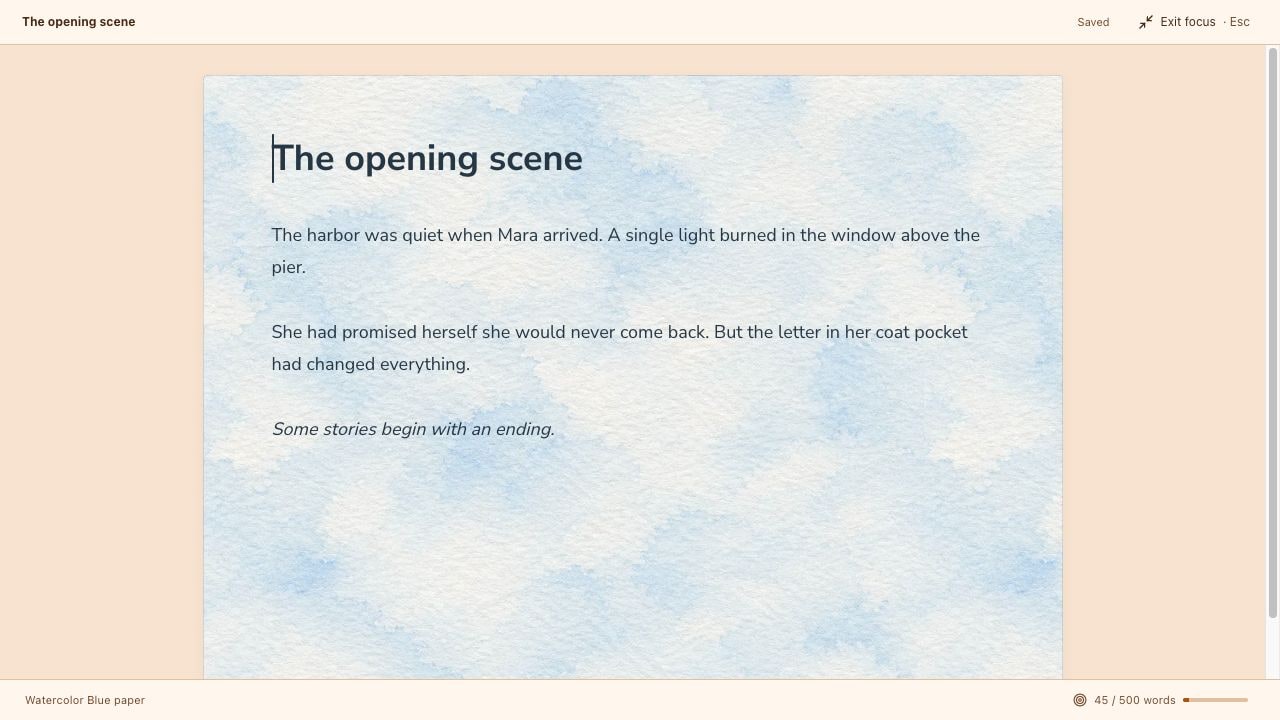
Start with Clean ivory, warm Parchment, dark Coding paper, weathered Pirate, classic Typewriter, or Watercolor Blue. Each document remembers its own paper style, separate from your workspace palette.
- 01Turn textures on or off without changing the paper color.
- 02Adjust fonts, text size, ink, and highlights to suit your writing.
- 03Use headings, lists, bold, italics, and alignment. Changing paper keeps your words and custom formatting.
Make room for the next sentence.
Focus mode hides the binder and formatting toolbar while you write. Your saved status and word count stay visible, with an optional word goal for the document.
- Set a target word count and see your progress as you write.
- Return to the full workspace with Exit focus or Escape.
- Keep drafts and notes in the same project binder as your boards.
Take your writing with you.
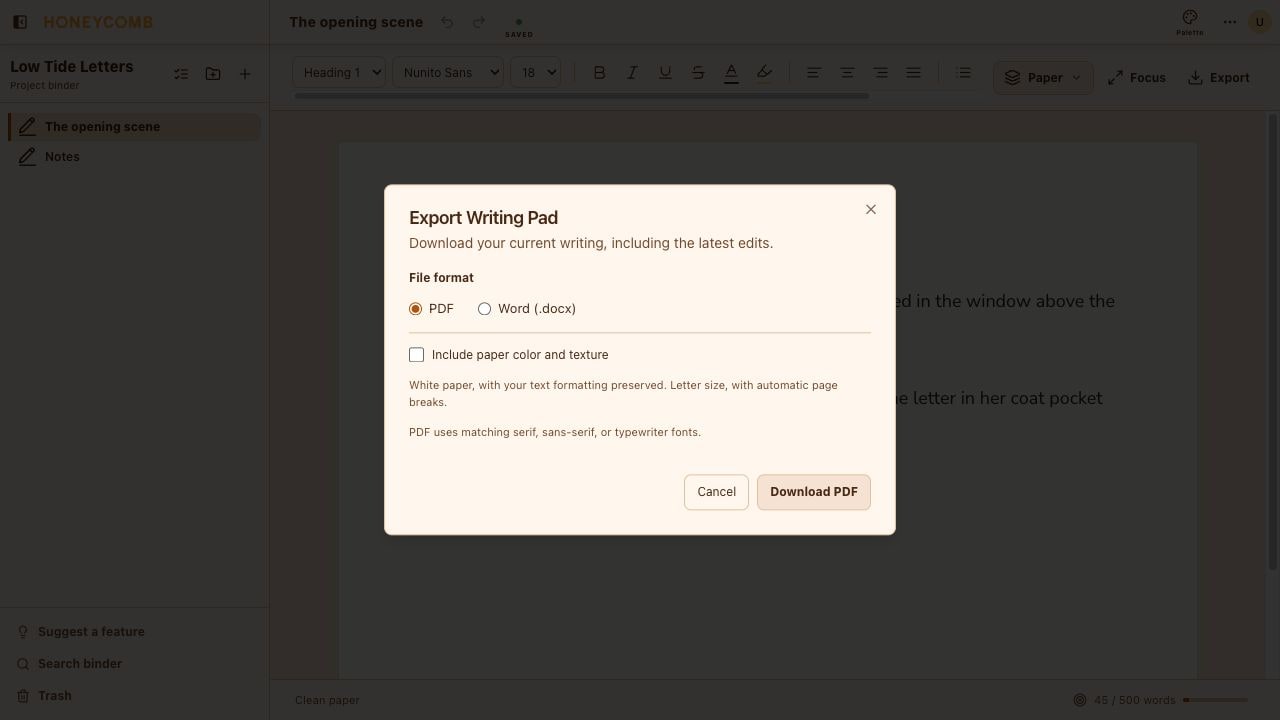
Download a PDF to read or share, or an editable Word document to keep working elsewhere. Export your latest writing with automatic page breaks and page numbers.
- Keep headings, lists, text colors, and rich formatting.
- Choose printer-friendly white paper or include your paper color and texture.
- Export locally in your browser, without sending your writing to a conversion service.
A few things
you might be wondering.
Can I write a longer draft in Writing Pad?
Yes. The page grows as you write, and PDF and Word exports split the writing into pages. Use separate documents for chapters or notes if you prefer.
Does changing paper change my text?
No. Your words and custom formatting stay in place. Some papers supply a default font and ink color, which you can override with the formatting controls.
Can I turn the paper texture off?
Yes. Turn off Show texture in the Paper menu. The paper color, font, and ink stay the same, and the setting is saved for that document.
Can I export without the background?
Yes. White paper is the default export option. You can include your paper color and texture instead. Word keeps your font choices, but may substitute fonts that are not installed on the device opening the file.
Make room for your next story.
Try Honeycomb free30 days. No credit card required.
View monthly and yearly plans