Every storyline.One shared timeline.
Follow the main plot, the subplot, and the relationship that changes everything. Line them up across the same beats so you can see what is happening—and what is missing.
Try Honeycomb 30-Day Trial No credit card required.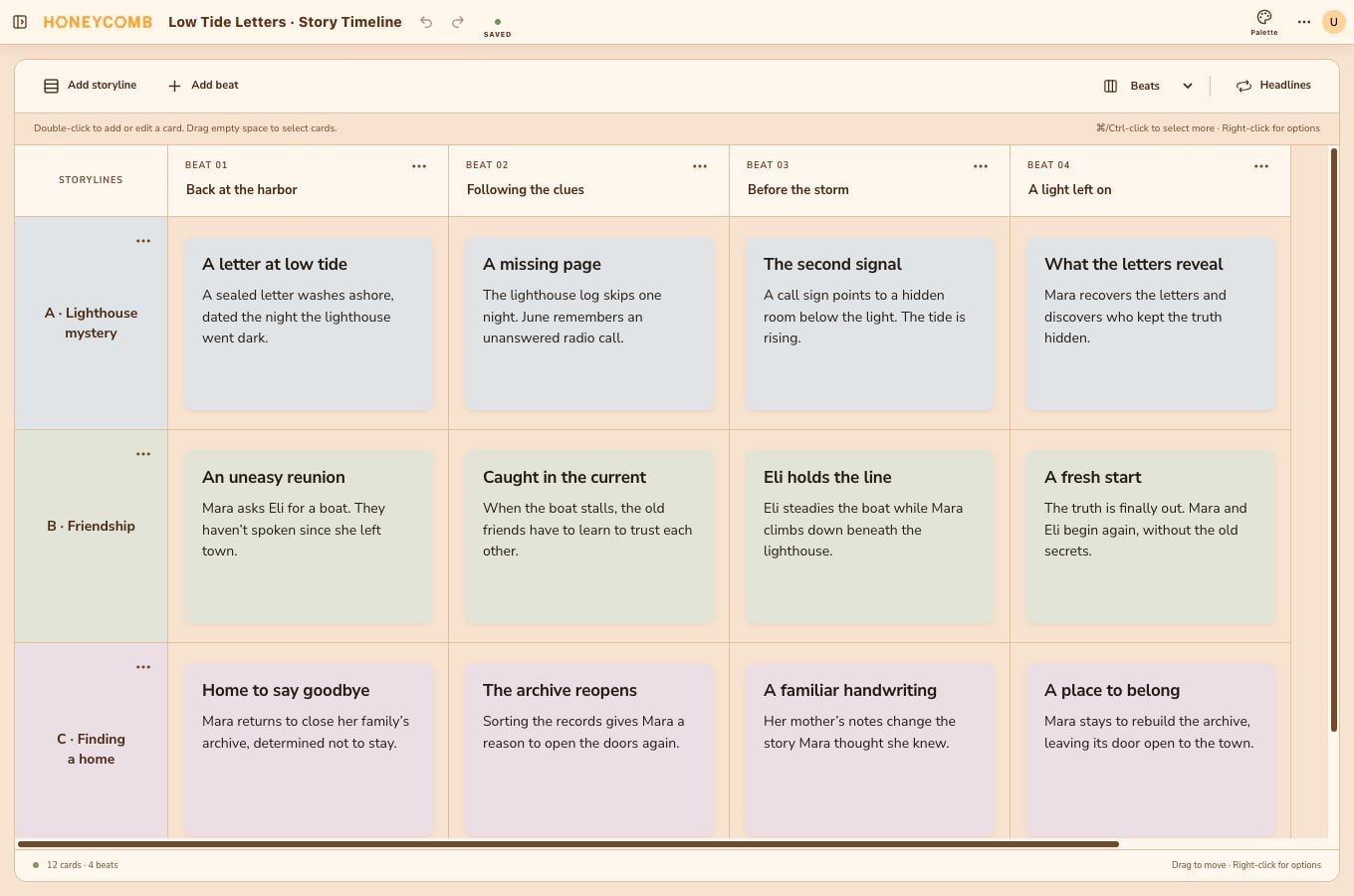
Give every storyline its own row.
A Story Timeline separates your plot threads into named storylines. Shared columns help you compare how those threads develop at the same point in the story.
- 01Choose Beat, Scene, or Chapter for your column headings.
- 02Add and rename storylines to suit your project.
- 03Drag cards between positions, or select several to move together.
Make each storyline easy to follow.
Start with a soft tint, then choose how storyline colors appear across the document. Match cards to the storyline tint or give individual cards their own colors.
- Use distinct colors for the main plot, friendships, or a character arc.
- See where a storyline disappears for several beats.
- Use the same columns to plan where different plots meet.
A few things
you might be wondering.
How is a Story Timeline different from a three-act board?
A three-act board organizes scene cards within acts. A Story Timeline lines up separate storylines across shared beats, scenes, or chapters, making it easier to compare parallel plots.
Does the timeline need dates?
No. Its columns represent story order rather than calendar dates. You can name each moment and choose Beat, Scene, or Chapter headings.
Are cards automatically linked between documents?
No. Each document has its own cards. You can keep a structure board and a timeline in the same project, but edits do not automatically sync between them.
Make room for your next story.
Try Honeycomb free30 days. No credit card required.
View monthly and yearly plans